Several places to check
Orders did not begin in one shared system.
Small business case study
An independent bakery was taking orders through ecommerce, wholesale customers and manual requests. We built one workflow that brings them together, turns them into a clear production queue and shows the owner what needs attention.
Live pilot Built around the business's existing process Real system, anonymised
Orders were arriving through Shopify, wholesale customers and manual requests. Each route carried different information, and that information eventually had to become something the bakery could actually make, organise and fulfil.
That meant checking several places, moving information between systems and keeping track of what had — and hadn't — made it into production.
Orders did not begin in one shared system.
Information had to move from order-taking into production planning.
The owner needed an easier way to see workload, status and exceptions.
Instead of replacing everything at once, we built a layer that connects the different order routes and gives the bakery one operational view.
Shopify · Wholesale · Manual
Every supported order enters the same operating record.
Orders become the products, quantities and work that need making.
Duplicates, missing information and items needing attention can be surfaced.
The week's workload and current state can be seen in one place.
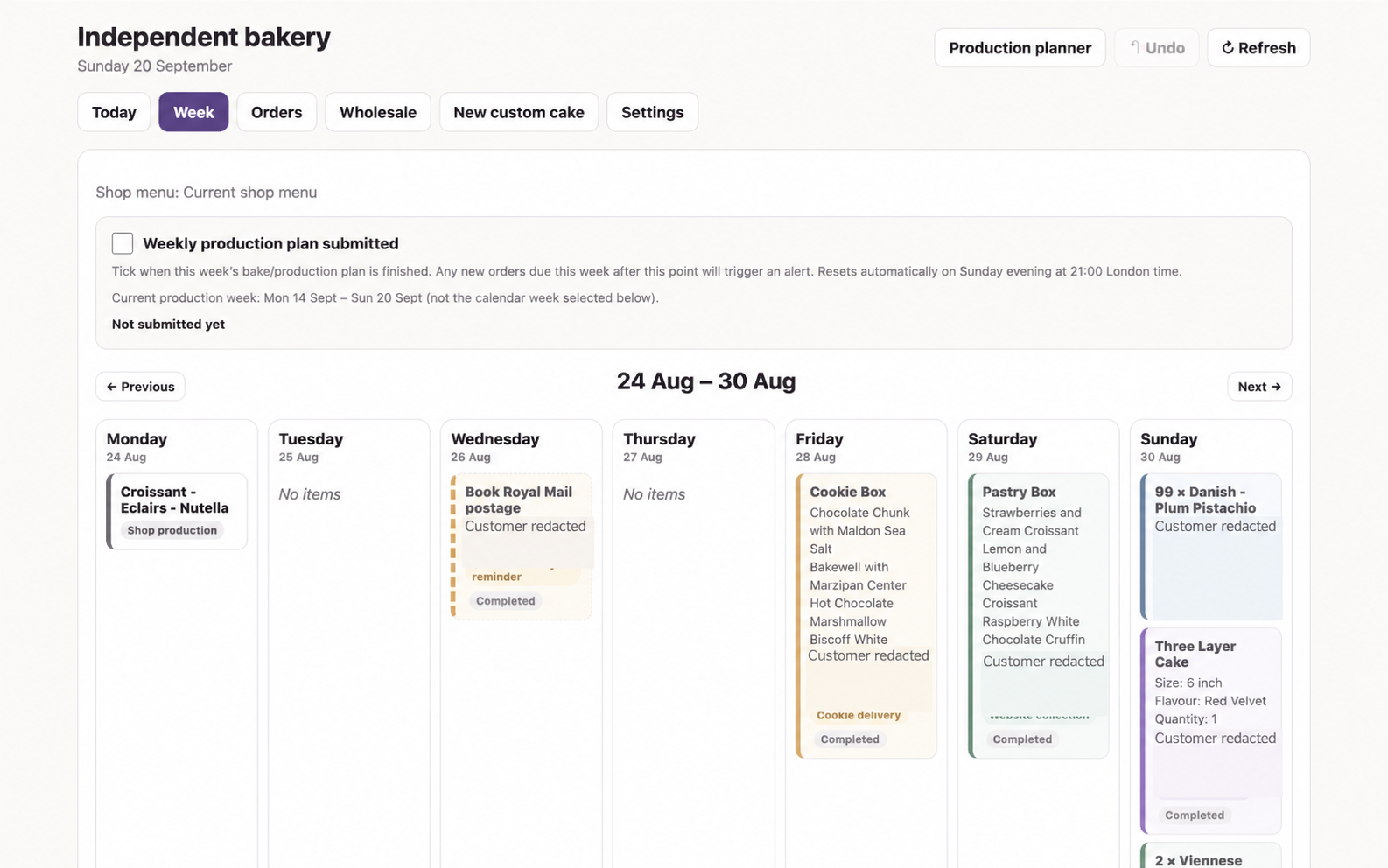
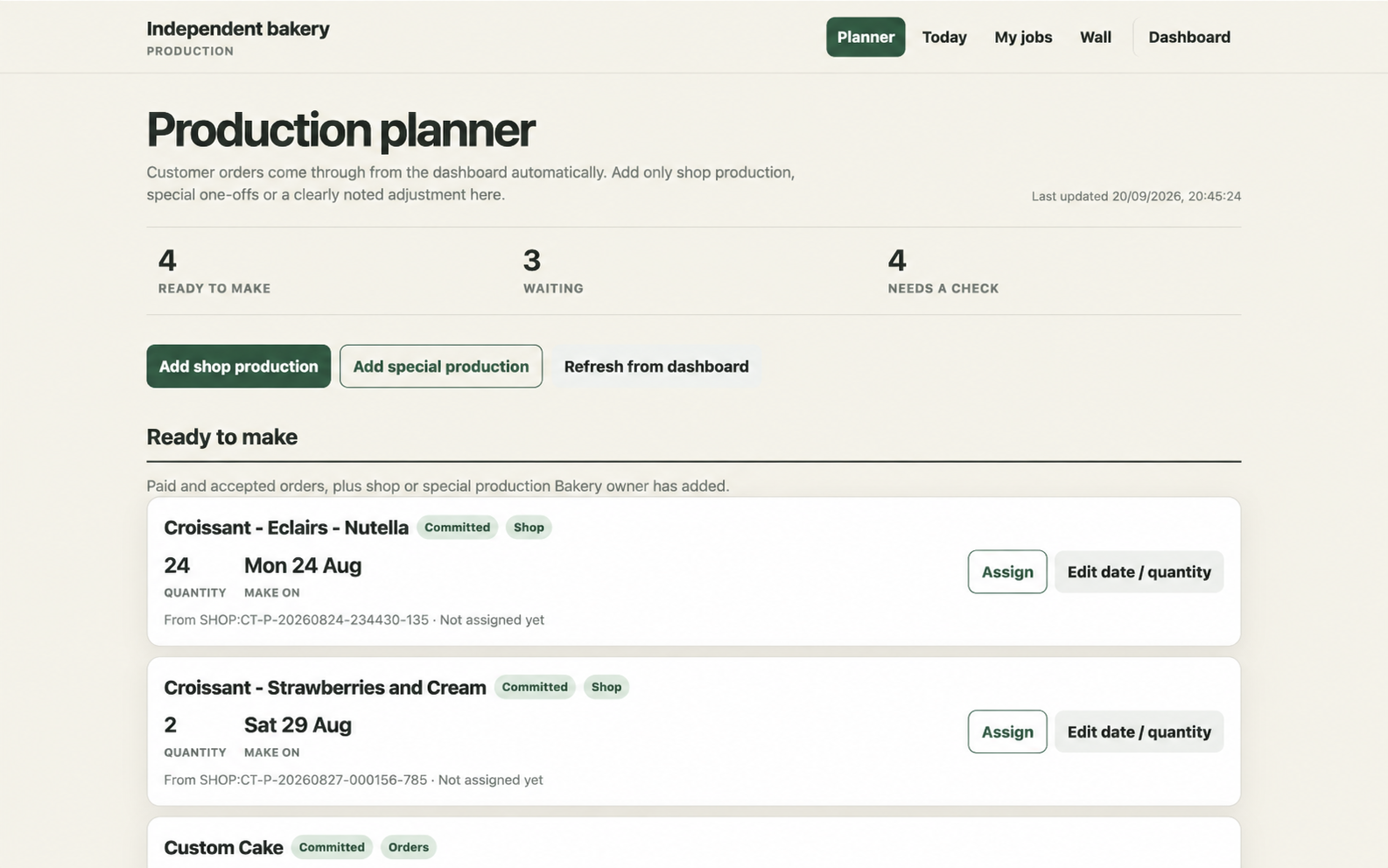
Real screens from the working pilot, anonymised for publication.
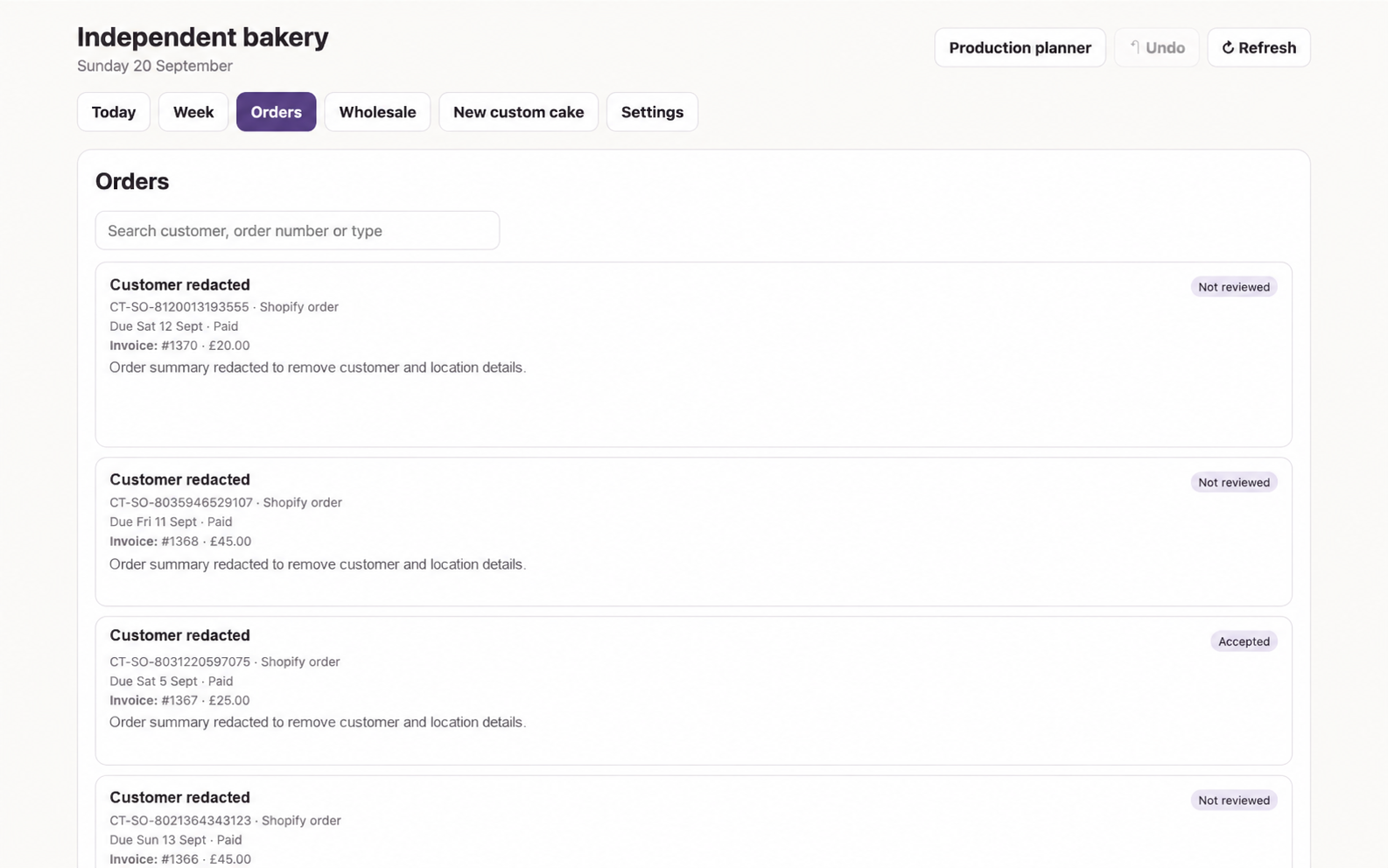
Ecommerce, wholesale and manual orders can feed the same underlying record instead of living as completely separate workflows.
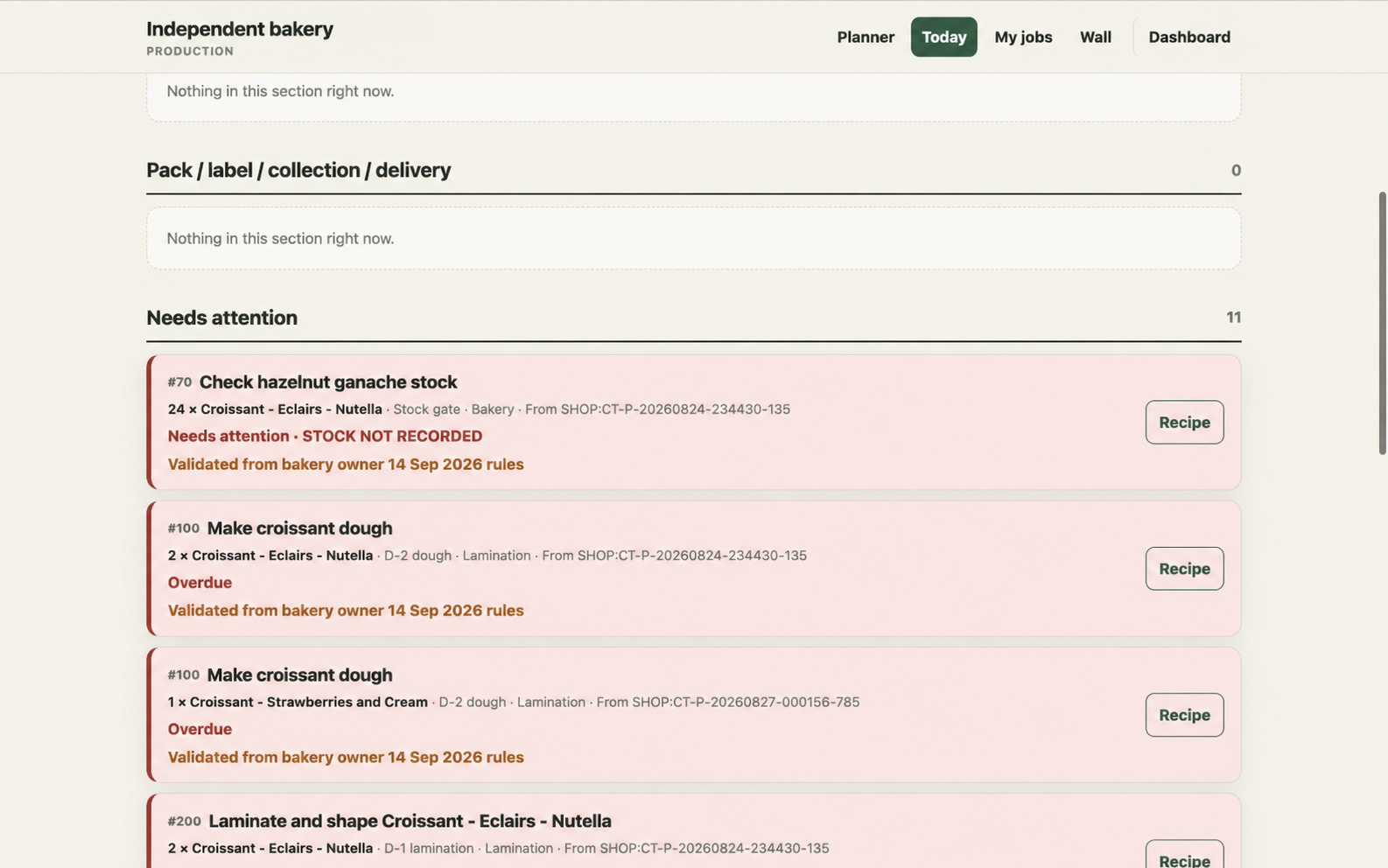
The production view translates incoming orders into the products and quantities that need making. That reduces the gap between taking an order and understanding the workload it creates.
The owner can see the week's workload, current status and items that need attention without reconstructing that picture from several different places.
Shopify, wholesale and manual requests followed separate routes.
Supported routes feed the same workflow.
Incoming orders and production planning were separate activities.
Incoming work becomes a clear production queue.
Understanding current workload meant looking across different sources.
The owner gets one practical view of what is happening.
Issues could require manual checking to surface.
Items needing attention can be separated from normal workflow.
This is a live pilot, so Lawton Workflows is not currently claiming measured time savings, revenue impact or ROI. The client’s comments below are their own view.
Practical control around the work the team already does.
A single operating view across supported order types.
Confirmed work moves towards production with the required context attached.
Important jobs are brought to the team’s attention automatically.
Acceptance, exceptions and sensitive operational choices remain visible to people.
The new workflow is being tested alongside the bakery's existing planning process. That means the team can use real orders, compare the new view against the familiar process and improve it before relying on it more heavily.
As far as the bakery was aware during the pilot, nothing slipped through the net.
Automation handles organisation. People still make the operational decisions.
“The dashboard has taken a lot of the manual admin out of keeping track of orders, deliveries and custom orders. It makes production planning much easier and reduces the chance of something being missed, while the automatic notifications for urgent orders and allergens mean important jobs are brought to our attention straight away. Overall, it saves us time and money and gives us a much clearer overview of what the bakery needs to produce.”
Pilot client · Independent bakery
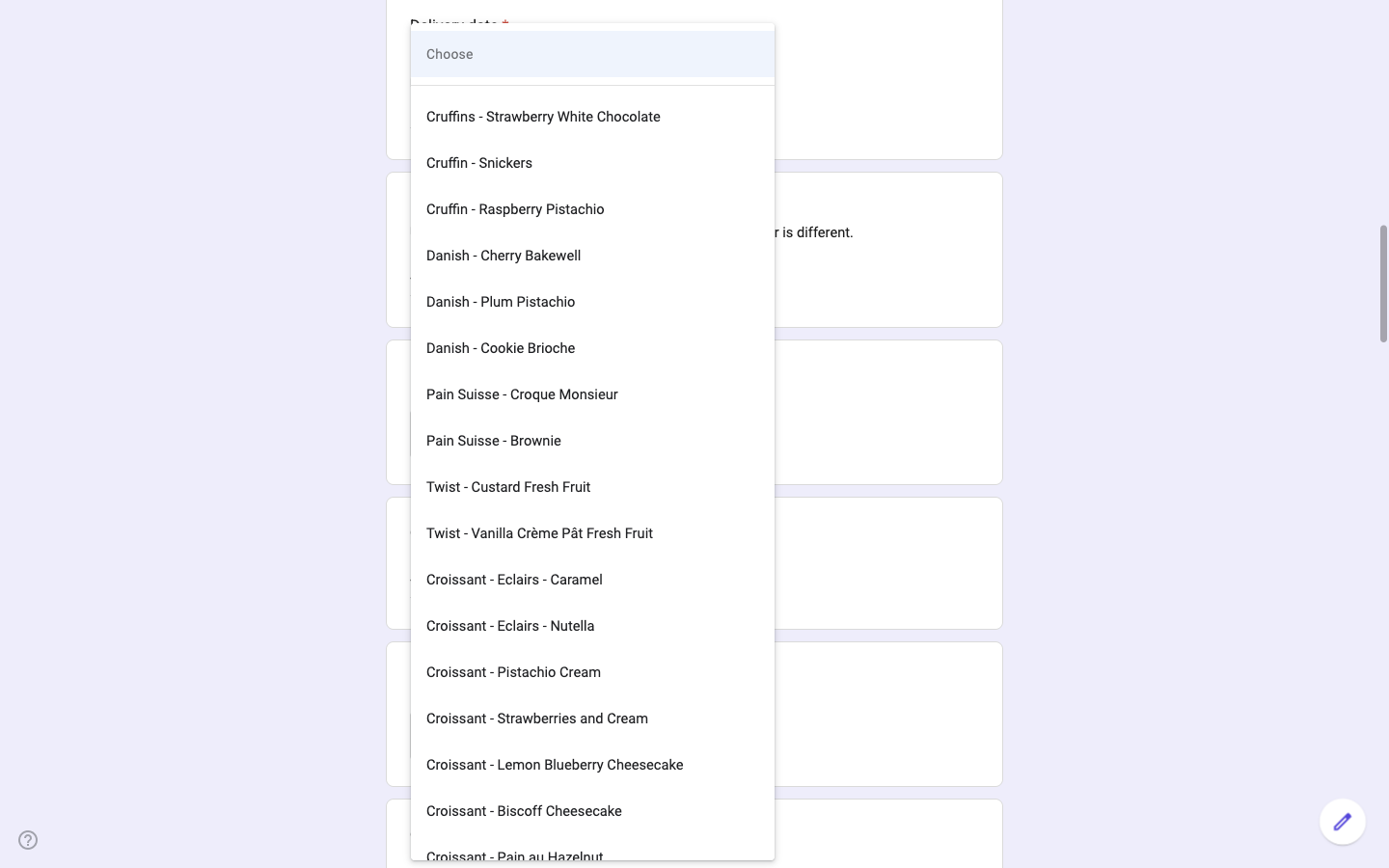
The wholesale order form uses the bakery's real product catalogue and familiar intake structure. It feeds the same workflow without asking the team to learn a completely separate process.
The same problem appears in lots of small businesses: enquiries, orders or jobs arrive through several places, but somebody eventually has to turn them into one dependable list of work.
Website + email + phone fulfilment
Forms + inboxes + calls follow-up
Customers + staff + systems schedule
Requests + documents + messages decision
The tools change. The useful part is creating one clear route from “something arrived” to “this is what happens next”.
If enquiries, orders or admin are being copied between systems, checked manually or held together in someone's head, there may be a simpler way to run it.
Talk through your workflowFree initial conversation · No obligation · UK-based